
Best Trading App in 2026: Match the Tool to Your Style
The best trading app for your friend isn't the best trading app for you. Day traders, swing traders, long-term investors, and event-driven traders all need different things — and most "top 10" lists ignore that. The wrong app slows you down at every trade. The right one gets out of the way.
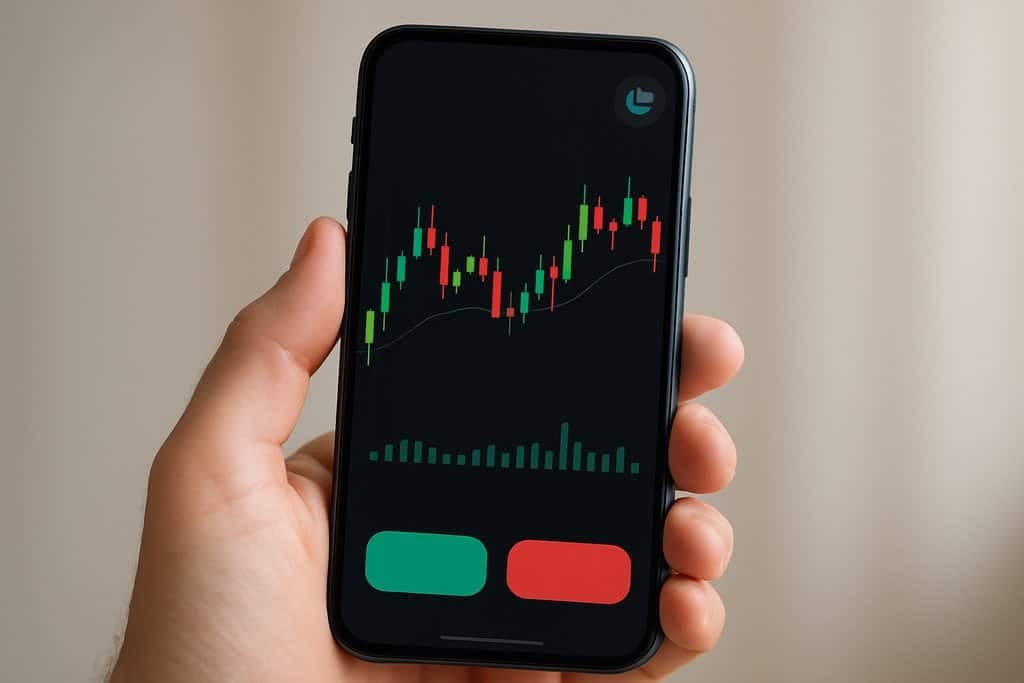
The best trading app for your friend isn't the best trading app for you. Day traders, swing traders, long-term investors, and event-driven traders all need different things — and most "top 10" lists ignore that. The wrong app slows you down at every trade. The right one gets out of the way.
This guide skips the affiliate rankings. It gives you the criteria that matter, the trade-offs between approaches, and a 30-minute evaluation to land on a configuration that fits your workflow.
What "best trading app" actually means
A trading app is the control panel for your decisions. It typically includes:
- Account funding and management
- Quotes, charts, and indicators
- Order entry and position tracking
- Alerts and notifications
- (Sometimes) automation, backtesting, and rule-based execution
Some apps are full brokerages — they hold your assets and route your orders. Others are analytics or automation layers that connect to your broker via secure APIs. Increasingly, traders build a stack of two or three apps rather than searching for a do-it-all monolith.
Four user profiles, four different "best"
Where most lists go wrong: ranking apps without naming the user. Same app can be #1 for one profile and #10 for another.
| Profile | What matters most | Common pick |
|---|---|---|
| New trader | Simple UX, paper trading, low minimums, education | Mainstream broker app |
| Active day trader | Speed, Level II, hotkeys, advanced orders | Broker with direct market access |
| Swing trader / investor | Charting depth, multi-timeframe alerts, rebalancing | Standalone charting + broker |
| Event-driven / systematic | Plain-English rules, news triggers, automation, backtesting | Automation layer on broker |
Identify your profile first. Then evaluate.
The criteria that actually separate apps
Execution quality
The single most important criterion if you trade frequently. Test it directly:
- Place a market order and measure click-to-fill latency
- Place a limit order and see how the platform handles partial fills
- Modify a stop after entry — how many clicks and how reliable?
- Test during market open chaos, not just calm afternoons
A fast app on a calm day is meaningless. A reliable app on FOMC day is the one you want.
Charting depth
Indicators, drawings, and multi-timeframe layouts. The bar:
- Native RSI, MACD, Bollinger Bands, ATR, Supertrend, VWAP
- Custom indicator support (Pine Script or equivalent)
- Multi-monitor layouts (for desktop) and sane mobile chart UX
- Drawings persist across sessions and devices
If your strategy relies on multi-timeframe confluence (e.g., trade on 1h aligned with daily), verify the app handles that without juggling windows.
Automation and alerts
This is where modern apps differentiate sharply.
- Price alerts are table stakes — every app has them
- Indicator-based alerts (RSI crossover, MACD turn) — most have them
- Combination alerts (price + indicator + news) — fewer have them well
- Convert alert to executed order — much rarer
- Plain-English rule creation — a small set of platforms
The last two transform what's possible. Obside leads this category for natural-language rule input.
Asset coverage
Verify the app trades your instruments — not just stocks generally. Specifically:
- Crypto: which exchanges and which pairs?
- Options: which exchanges, which order types, multi-leg support?
- Futures: which exchanges, which contracts, automatic roll?
- International: which markets, what hours, currency conversion?
A platform with 50,000 stocks but no crypto is useless to a crypto-only trader.
Total cost (not just commissions)
Run your specific monthly trade pattern through:
- Commissions and exchange fees
- Spread (often the biggest hidden cost)
- Data subscriptions if any
- Conversion fees for cross-currency
- Inactivity, withdrawal, and account fees
- Automation/marketplace fees if you use them
"Commission-free" stock brokers often have wider spreads and inferior routing. Active traders typically save more with low-commission DMA brokers than with retail commission-free ones.
Reliability and security
Downtime kills trades. Look for:
- Public status page with uptime history
- 2FA, encrypted credentials, scoped API keys for connected services
- Clear audit trails — every order, every fill, every modification logged
If your money is at the app, security matters. If your money is at your broker and the app just routes orders, the standards relax slightly but don't disappear.
Why a stack often beats a monolith
A single app that does everything well is rare. A configuration of:
- Broker for custody and order routing
- Charting suite for analysis and visualization
- Automation layer for rule-based execution and alerts
…tends to outperform any single tool that tries to do all three. Each component is best-in-class for its role.
Common stack examples:
- Interactive Brokers + TradingView + Obside
- Tastytrade + thinkorswim + Obside
- Robinhood (custody) + TradingView (charts) — minimal stack for retail investors
A 30-minute evaluation
Compress the decision to an afternoon:
- Define your one-sentence use case. "Day trade US large caps with fast entries" or "swing trade crypto with automated risk rules."
- List 2–3 non-negotiables. Trailing stops, multi-timeframe alerts, specific market support.
- Shortlist three apps that cover your stack — one broker, one charting, one automation.
- Run the alert test. Create a price alert and an indicator alert. Time how long from condition to notification.
- Run the order test. Place a bracket order on paper. Modify both stop and target after entry.
- Automate a micro-workflow. In Obside, write a rule like "Buy 50 dollars of Bitcoin every Monday at 10:00" — see if it deploys without friction.
- Review logs and exits. After a day of testing, audit timestamps and confirm every triggered alert resulted in expected behavior.
At the end of 30 minutes you'll have signal — not exhaustive proof, but enough to commit to a 30-day live trial.
Where Obside fits
Obside isn't a broker. It's the automation layer that closes the gap between idea and execution. Sits on top of your existing accounts, listens to markets and events in real time, acts on your rules.
What it does well:
- Plain-English rule creation, from simple alerts to multi-condition strategies
- Instant backtesting (years of data in seconds)
- Broker and exchange connectivity (multiple supported)
- News, macro, and social signal triggers — not just price
- Strategy marketplace and collaboration
A few real examples:
"Buy when there's a bullish RSI divergence on a 15-min chart, stop at day's low, take profit at 10%." "Buy 50 dollars of Bitcoin every Monday at 10:00 AM." "Hold 50% BTC / 25% ETH / 25% USDC, rebalance monthly or on 5% drift." "When Supertrend turns bullish on 2h AND 8h, RSI < 70, buy. Trail 5×ATR. Close if 2h flips."
Recognized with the Innovation Prize 2024 at the Paris Trading Expo and supported by Microsoft for Startups. More importantly, the design choice is minimal friction between intent and execution.
Create a free Obside account to pair Obside with your existing broker, write rules in plain English, and run instant backtests before going live.
Educational content only. This is not investment advice. Trading involves risk, including possible loss of capital.
FAQ
Start with a major mainstream broker for custody (Schwab, Fidelity, IBKR, Robinhood depending on jurisdiction). Add paper trading early. Once you have a sense of what you actually want to do, layer in a charting tool or automation app. Don't pay for features you can't use yet.
Related articles
- Best Day Trading Platform: Speed, Orders, Automation
- Best Automated Trading Platform: Top Picks for 2026
- Best Trading Bot: Choose, Test, and Automate Your Edge
- Trading for Beginners: Simple Steps to Your First Trades
- How to Start Trading: A Practical Beginner's Guide
- Trading Automation: From Idea to Real-Time Execution
Try Obside on your portfolio
Connect your broker and automate your strategy with a prompt.
Get started